5651 LOGGING
FortiGate Law 5651 logging: signed, audit-ready records.
Access records from your FortiGate devices are collected over syslog, every line is sealed and the daily archive is signed with a qualified Kamu SM timestamp. Meet the record-keeping duty of Turkish Law No. 5651 in the cloud or on your own server.
Key Capabilities
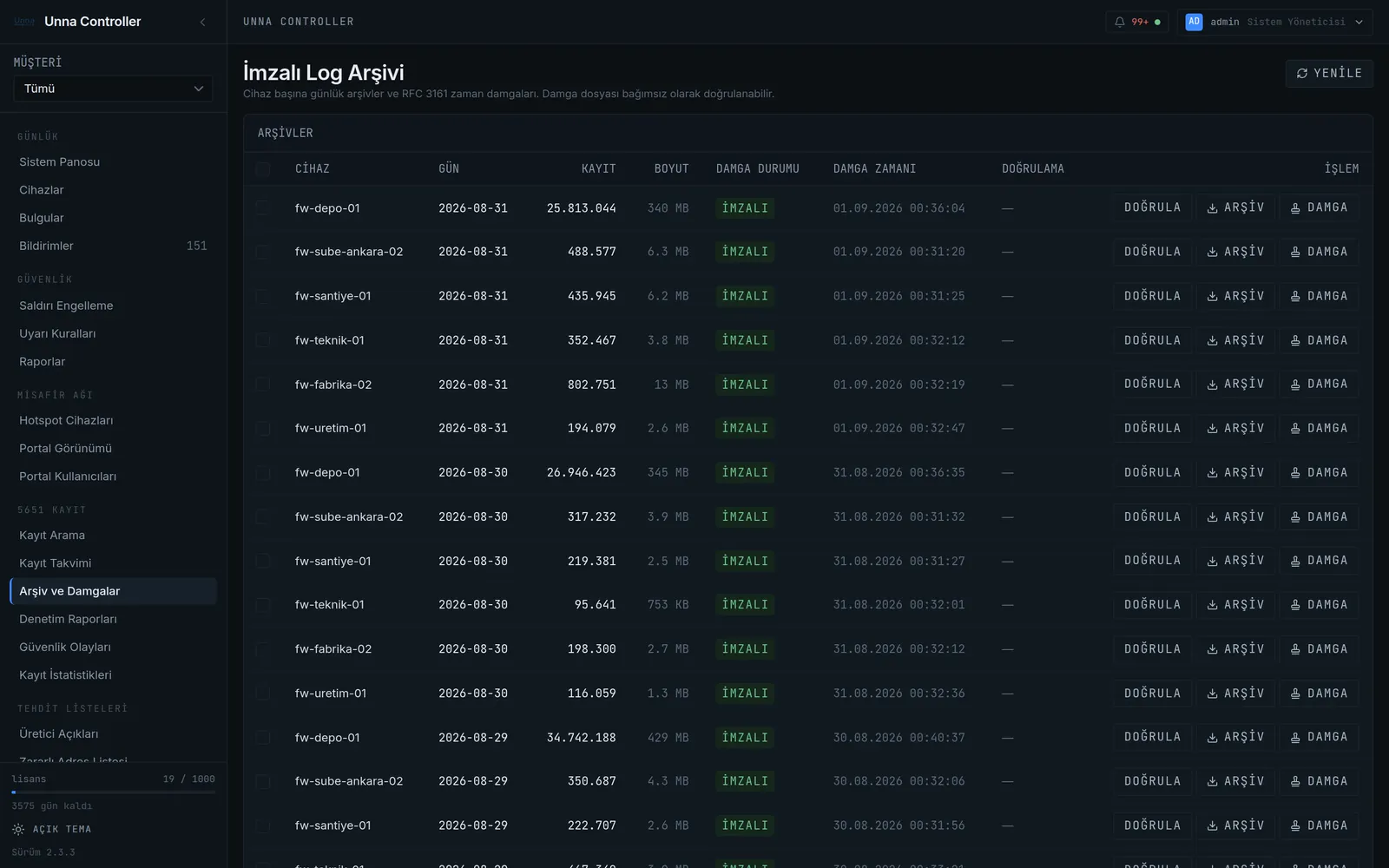
The daily archive is signed with an RFC 3161 timestamp obtained from the Kamu SM (TÜBİTAK BİLGEM) timestamp authority, proving the record existed on that date.
Every record line is sealed with an HMAC and daily archives are chained together. Changing a single line breaks the chain and shows up in verification.
Signed daily archives are never deleted; they remain accessible and downloadable throughout the statutory retention period.
When an official request arrives, records for the relevant period are searched and a compliance report is exported as PDF.
How do you set up Law 5651 logging on FortiGate?
No extra hardware. Once your device is registered in the panel, the log flow starts in four steps.
Your FortiGate is registered over its existing internet connection via REST API or SSH.
The panel generates the syslog configuration for your device; FortiGate starts sending records to the collector.
Every incoming log line is sealed with an HMAC; daily archives are chained to one another.
The daily archive is signed with a qualified RFC 3161 Kamu SM timestamp and kept without deletion.
config log syslogd setting
    set status enable
    set server "<collector-address>"
    set port 5514
    set mode udp
end
Sample only. The panel generates the full configuration for you, including the collector address and settings suited to your device.
Which FortiGate records are collected under Law 5651?
- Traffic logs: source and destination IP, port, session start and end time
- Local traffic, event and anomaly logs
- Hotspot sessions: SMS-verified user, device and time
- A Kamu SM timestamp and integrity digest for each daily archive
What does Law No. 5651 require?
Mass-use internet providers must keep access records, preserve their accuracy and integrity, retain them for the statutory period and produce them on request. Records must be signed with a timestamp.
Law 5651 GuideCompliance checklist
- Collecting access records from the device
- Sealing every record with a hash
- Signing the daily archive with a qualified timestamp
- Being able to verify archive integrity at any time
- Producing reports on official request
FortiGate Law 5651 logging FAQ
How many devices do you have? Let us work out the rest.
Fill in the two-minute wizard; we will send a tailored quote within one business day.